How to Design an AI-Assisted Workflow From Scratch
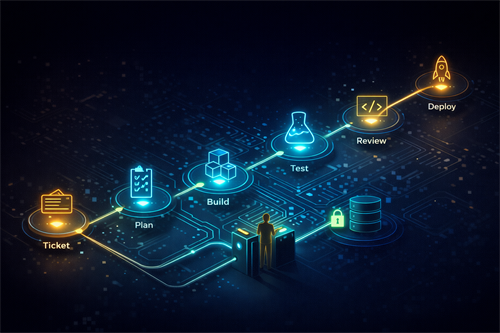
Designing an AI-assisted workflow from scratch is less like installing software and more like redesigning a small system of decisions, feedback loops, and responsibilities. If done well, it doesn’t just save time—it changes the quality of your output, the way you learn, and even the types of problems you can realistically take on.
Start With Friction, Not Tools
Every effective workflow begins with identifying friction. Not all friction is bad, and this is where many people go wrong. Some friction forces clarity, critical thinking, or creativity. Other friction is simply waste—repetitive formatting, searching, rephrasing, or reorganizing information.
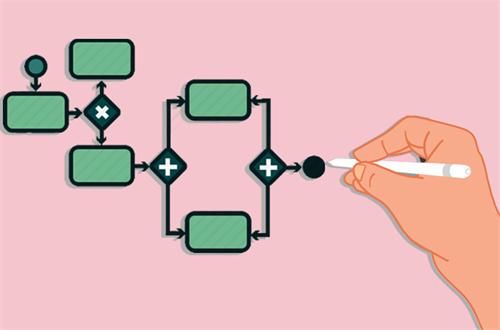
Before introducing AI, map your current workflow in detail. Break it into stages and ask:
- Where do I slow down unnecessarily?
- Where do I repeat similar actions?
- Where do I make low-stakes decisions that consume attention?
- Where do I struggle to get started?
You might discover, for example, that the real bottleneck isn’t writing or coding, but structuring your ideas. Or that reviewing and refining takes longer than producing the first draft. These insights determine where AI will actually help.
A common mistake is automating the most visible part of work instead of the most inefficient part. Writing content, for instance, is visible. Organizing raw thoughts into a usable structure is less visible but often more difficult—and a better candidate for AI assistance.
Define the Role of AI: Assistant, Not Replacement
One of the most important design decisions is defining what role AI plays in your workflow. There are three broad modes:
1. Generator – Produces drafts, ideas, or variations.
2. Editor – Refines, critiques, and improves existing work.
3. Interpreter – Summarizes, explains, or restructures information.
Most workflows fail because they rely too heavily on the generator role. When AI is used primarily to generate, users tend to disengage cognitively. The output may be fast, but it is often shallow, generic, or misaligned with the actual goal.
A more effective approach is to design your workflow so that AI alternates between roles. For example:
- You define the problem → AI generates options
- You select and refine direction → AI critiques and expands
- You finalize structure → AI helps polish clarity
This creates a loop where human judgment remains central, and AI amplifies it instead of replacing it.
Build Around Decision Points, Not Tasks
Traditional workflows are task-based: write this, edit that, submit here. AI-assisted workflows should be decision-based.
Every meaningful workflow contains key decision points, such as:
- Choosing a direction
- Prioritizing information
- Evaluating quality
- Determining when something is “done”
AI is particularly useful when it helps you explore options before making a decision or stress-test your decisions afterward.
Instead of asking, “How can AI do this task?”, ask:
- “How can AI give me better options before I decide?”
- “How can AI challenge my assumptions after I decide?”
For example, before finalizing a plan, you might ask AI to generate counterarguments or identify blind spots. This transforms AI from a production tool into a thinking tool.
Design the Workflow in Layers
A robust AI-assisted workflow usually has three layers:
1. Input Layer: Clarifying the Problem
This is where you define what you are trying to do. Poor inputs lead to poor outputs, regardless of how powerful the AI is.
Instead of vague prompts, use structured thinking:
- What is the objective?
- Who is the audience or user?
- What constraints matter?
- What does success look like?
The more precise your thinking here, the less you will rely on trial-and-error later.
2. Processing Layer: Iteration and Expansion
This is where AI is most active. But instead of a single prompt, think in terms of iterations:
Generate → Evaluate → Refine → Expand
Each step should have a clear purpose. Avoid long, complex prompts that try to do everything at once. Simpler, focused interactions produce more controllable results.
3. Output Layer: Validation and Integration
This is where many workflows break down. AI-generated content often looks complete but hasn’t been validated.
You should always include steps like:
- Cross-checking facts or logic
- Aligning output with your original goal
- Adapting the output to its real-world context
Without this layer, your workflow may be fast but unreliable.
Introduce Constraints Deliberately
AI tends to produce generic outputs when given open-ended instructions. Constraints improve quality.
Types of useful constraints include:
- Perspective (e.g., beginner vs expert)
- Format (e.g., structured argument, step-by-step guide)
- Tone (e.g., analytical, conversational)
- Scope (e.g., focus only on risks, or only on implementation)
Constraints are not limitations—they are design tools. They guide AI toward more relevant and actionable outputs.
In practice, this means avoiding prompts like “Explain this topic” and instead using prompts like “Explain this topic to someone making a decision under time pressure, focusing only on trade-offs and risks.”
Build Feedback Loops, Not One-Time Outputs
A strong workflow is iterative. Weak workflows treat AI as a one-shot solution.
You should design explicit feedback loops such as:
- Self-review: You assess AI output against your criteria
- AI critique: Ask AI to evaluate its own output
- Comparison: Generate multiple versions and compare them
One effective technique is “contrast prompting,” where you ask AI to produce two or three different approaches to the same problem. This makes trade-offs visible and improves decision quality.
Protect Cognitive Engagement
There is a hidden cost to AI workflows: reduced thinking effort. Over time, this can weaken your ability to analyze, structure, and evaluate independently.
To avoid this, deliberately keep certain parts of the workflow human-only. For example:
- Defining the problem
- Making final decisions
- Interpreting ambiguous situations
Think of it this way: if AI does everything, you gain speed but lose depth. If AI supports key moments, you gain both.
Example: Designing a Workflow From Scratch
Let’s take a non-writing example to make this concrete: planning a new service offering.
Step 1: Define the problem (human-led)
You outline the goal, target users, and constraints.
Step 2: Generate possibilities (AI-assisted)
Ask AI for multiple service concepts based on your criteria.
Step 3: Evaluate options (human + AI)
You shortlist ideas, then ask AI to analyze pros, cons, and risks.
Step 4: Stress-test decisions (AI-assisted)
Ask AI to critique your chosen direction or simulate potential failures.
Step 5: Refine structure (AI-assisted)
Use AI to help organize the service into clear components.
Step 6: Final validation (human-led)
You ensure the plan makes sense in the real world.
Notice that AI is present throughout the process, but never fully in control. The workflow is built around decisions, not just outputs.
Common Pitfalls to Avoid
1. Over-automation
Trying to automate everything often creates more work in reviewing and correcting outputs.
2. Tool dependency
Switching tools frequently instead of improving the workflow itself.
3. Shallow validation
Accepting outputs that “look right” without deeper checking.
4. Lack of structure
Using AI reactively instead of embedding it into a consistent process.
Turning Your Workflow Into a System
Once your workflow works, document it. Not as a rigid checklist, but as a flexible system:
- Define key stages
- Identify decision points
- Clarify when and how AI is used
- Note common mistakes and adjustments
This allows you to reuse and improve the workflow over time. It also creates consistency, which is essential if you want to scale your work or collaborate with others.
Final Thought: AI as a Thinking Multiplier
The real value of an AI-assisted workflow is not speed. Speed is easy to achieve and easy to misuse. The real value is better thinking at scale—being able to explore more options, test more ideas, and refine decisions more rigorously than you could alone.
Designing such a workflow requires intention. It requires you to understand your own process deeply, to identify where AI adds value, and to resist the temptation to let it take over completely.
If you get this balance right, AI stops being a tool you use occasionally and becomes part of a system that consistently improves how you work.
Recommend for you:

What AI Tools Do People Actually Use Every Day? (Real Workflows Explained)
They are not building “AI-first companies.” They are building AI-assisted habits.
Should You Use AI During Brainstorming or After Ideas Are Formed?
Should AI be part of the brainstorming process itself, or should it only come in after you’ve already formed your ideas?
The Hidden Risks of Using AI Tools (Privacy, Lock-In, and Control)
If you’re going to use AI tools—which, realistically, most people will—it’s worth understanding where the risks actually sit, and how to manage them without overreacting or disengaging entirely.
Should You Use AI First or Google First in Research Workflows?
A few years ago, my research workflow was simple: open Google, skim the first five results, maybe click into a Reddit thread if I felt stuck, and then slowly piece together an answer.