
How to Detect Redundant Tools in Your Stack
Modern digital work rarely suffers from a lack of tools. If anything, the problem is the opposite: most individuals and teams gradually accumulate overlapping apps, platforms, plugins, and AI tools until their workflow becomes heavier than it needs to be. What starts as optimization slowly turns into fragmentation. Instead of speeding work up, the stack begins to slow decisions down.
Redundancy in a tool stack is rarely obvious at first. It does not show up as a single broken system or a clear failure. It appears quietly through duplicated functionality, scattered data, inconsistent workflows, and subtle cognitive friction. Many teams only realize the issue when switching costs become painful or when nobody can confidently answer a simple question: “Which tool should we actually use for this?”
1. Understand What “Redundant” Actually Means in Practice
A tool is not redundant just because it is similar to another tool. Redundancy exists when multiple tools perform the same decision-critical function without adding meaningful differentiation in outcome, speed, or reliability.
There are three common types of redundancy:
Functional redundancy
Two or more tools perform the same core task, such as note-taking, project management, or file storage, but are used interchangeably without a clear rule.
Partial redundancy
Tools overlap in features, but each is used for slightly different edge cases that are not clearly defined or consistently followed.
Behavioral redundancy
Even if tools are technically different, users default between them unpredictably, causing workflow fragmentation and confusion.
Most real-world stacks suffer from all three at once.
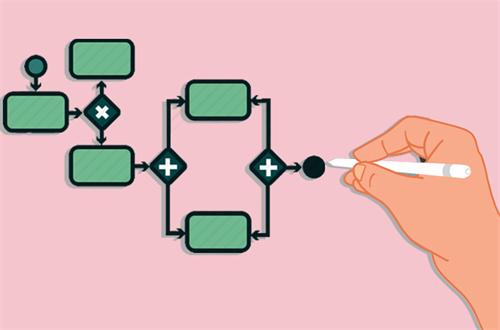
2. Start With Workflow Mapping, Not Tool Listing
A common mistake is trying to audit tools first. That usually leads to a shallow list of apps without context. A more effective approach is to reverse the process.
Instead of asking:
“What tools do we have?”
Ask:
“What are the actual workflows we perform repeatedly?”
For example:
- Capturing ideas
- Planning tasks
- Communicating decisions
- Storing reference material
- Executing projects
- Reviewing outcomes
Once workflows are mapped, you can attach tools to each step. This immediately reveals overlap. You may discover, for instance, that three different tools are being used for “capturing ideas,” but none are consistently used.
The key insight here is that redundancy is workflow-based, not tool-based.
3. Look for “Decision Duplication” Instead of Feature Duplication
Many audits fail because they focus on feature lists. Modern tools are designed to look similar on paper, so feature comparison alone is misleading.
A more accurate signal is decision duplication.
Ask:
- Do users regularly have to choose between multiple tools for the same task?
- Is the choice arbitrary or based on habit rather than logic?
- Does the choice vary between team members?
If the answer is yes, you likely have redundancy.
For example, if team members sometimes log tasks in Tool A and sometimes in Tool B, both tools are functionally redundant regardless of feature differences. The cost is not in capability but in inconsistency.
4. Measure Context Switching Cost
Redundancy is not just about duplication—it is about friction.
Every time a user switches tools unnecessarily, they incur a “context switching cost,” which includes:
- Mental reset time
- UI navigation time
- Search and retrieval time
- Reorientation time (remembering where something was stored)
A practical way to identify redundancy is to observe how often people say:
- “Where did I put that?”
- “Which tool was that in?”
- “I think I used another app for this before…”
These signals indicate that the stack is fragmented.
If two tools require users to repeatedly re-learn context for the same type of task, at least one is redundant.
5. Identify Hidden Overlap in Data Storage
One of the most overlooked forms of redundancy is duplicated storage layers.
Typical patterns include:
- Notes stored in multiple apps
- Files duplicated across cloud drives and project tools
- Messages containing decisions that are not reflected in task systems
The problem here is not storage itself, but authority ambiguity. When information exists in multiple places, no single source becomes trustworthy.
To detect this, ask:
“If I needed the most recent version of this information, where would I look first without hesitation?”
If the answer is not immediate, redundancy exists.
6. Check for “Inactive Tools with Residual Dependence”
Another subtle form of redundancy occurs when a tool is no longer actively used but still indirectly influences behavior.
Examples include:
- A project management tool still checked out of habit, even though work has moved elsewhere
- A legacy note system used only for “old information”
- A communication tool used only for one team, but still maintained across workflows
These tools create “ghost workflows”—they are not productive, but still consume attention and maintenance energy.
A strong indicator is when a tool could be removed, but people resist because “something might still be there.”
That uncertainty itself is a signal of redundancy.
7. Analyze Output Quality vs Tool Complexity
A useful but often ignored method is to compare output quality against tool complexity.
Ask:
- Does using this tool meaningfully improve the quality of work?
- Or does it simply add steps to the process?
If a simpler tool produces nearly identical outcomes, the more complex one is likely redundant in practice.
This is especially relevant in AI-heavy workflows, where multiple tools may generate similar outputs but differ only in interface or branding.
Complexity without measurable improvement is a strong redundancy signal.
8. Map Ownership and Responsibility Gaps
Redundancy often emerges when ownership is unclear.
If no one is responsible for deciding:
- where tasks are created
- where documents are stored
- where communication happens
then multiple tools naturally evolve to fill the gap.
This is not a technical problem—it is a governance problem.
A practical test:
“If a new team member joins, can we clearly explain which tool is the source of truth for each workflow?”
If the answer requires long explanations or exceptions, redundancy is already embedded in the system.
9. Run a “Tool Failure Simulation”
A highly practical method is to simulate the removal of a tool without actually deleting it.
For each tool, ask:
- What workflows would break immediately?
- What workflows would degrade but still function?
- What workflows would remain unaffected?
If removing a tool produces minimal impact, it is likely redundant.
If removing it forces another tool to immediately absorb its function without loss, that is a strong sign the two tools are overlapping unnecessarily.
10. Consolidate Based on Outcomes, Not Preferences
The final and most important principle is to avoid consolidation based on comfort or familiarity.
People naturally prefer tools they are used to. But redundancy removal is not about preference—it is about system clarity.
A strong consolidation decision should be based on:
- Consistency of usage
- Reduction in cognitive load
- Centralization of information
- Minimization of decision points
The goal is not to reduce tools to the minimum possible number, but to reduce unnecessary decision friction.
Recommend for you:

AI Note-Taking vs Manual Notes: What Actually Improves Memory Retention?
The Core Problem: Note-Taking Has Two Completely Different Goals
Should You Use AI First or Google First in Research Workflows?
A few years ago, my research workflow was simple: open Google, skim the first five results, maybe click into a Reddit thread if I felt stuck, and then slowly piece together an answer.
Can You Trust AI Tools for Medical Information? A Practical Evaluation Guide
The question is no longer whether people use AI for medical information—it’s how often, how deeply, and at what stage of their decision-making they rely on it.
When AI Over-Automation Creates More Work Instead of Less
The point at which automation stops being leverage and starts becoming overhead.